Legal practice management for what's next
One Platform.
Every Matter.
Jurivexo connects your clients, matters, documents, communications, time, billing and trust in one modern legal workspace.
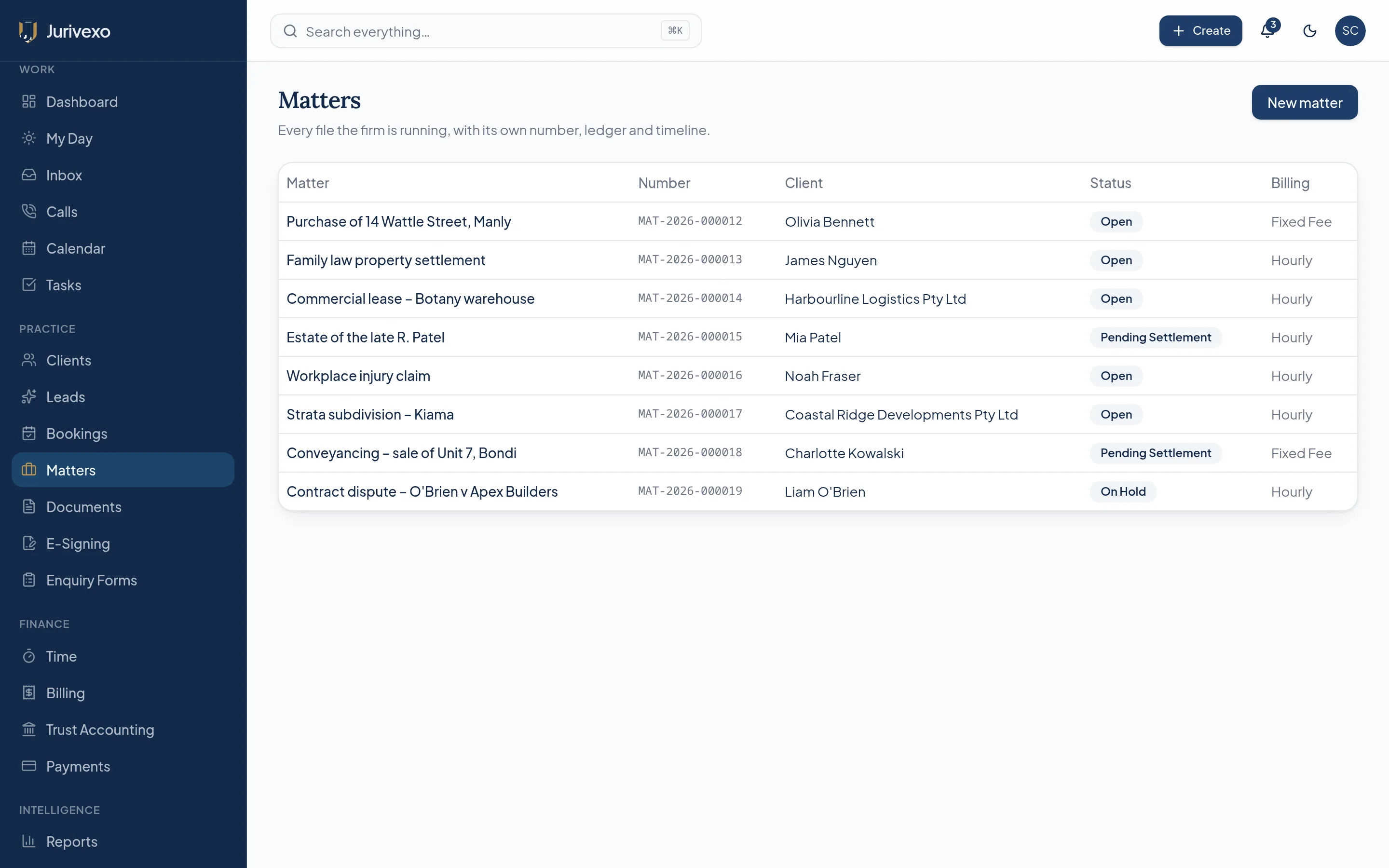
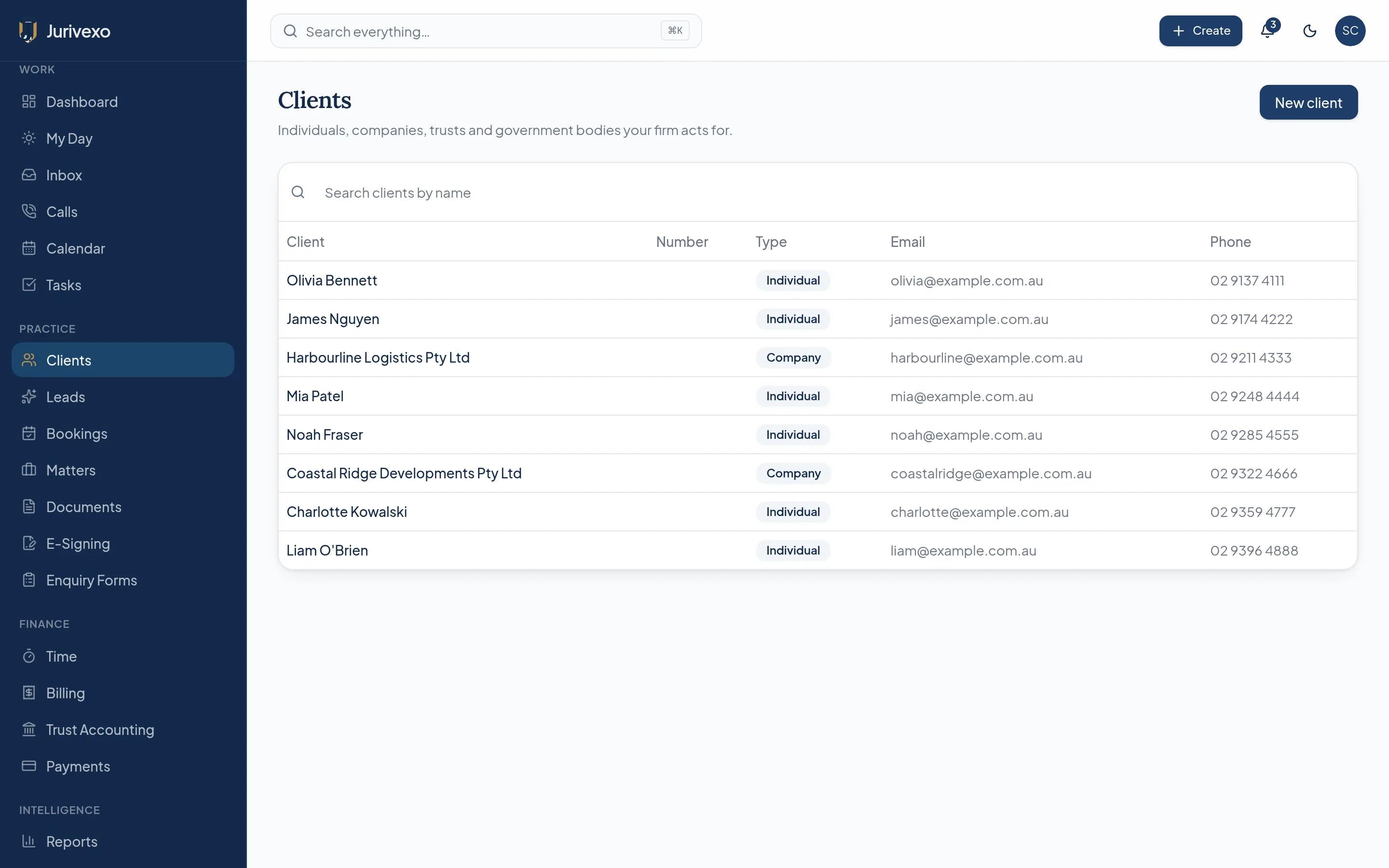
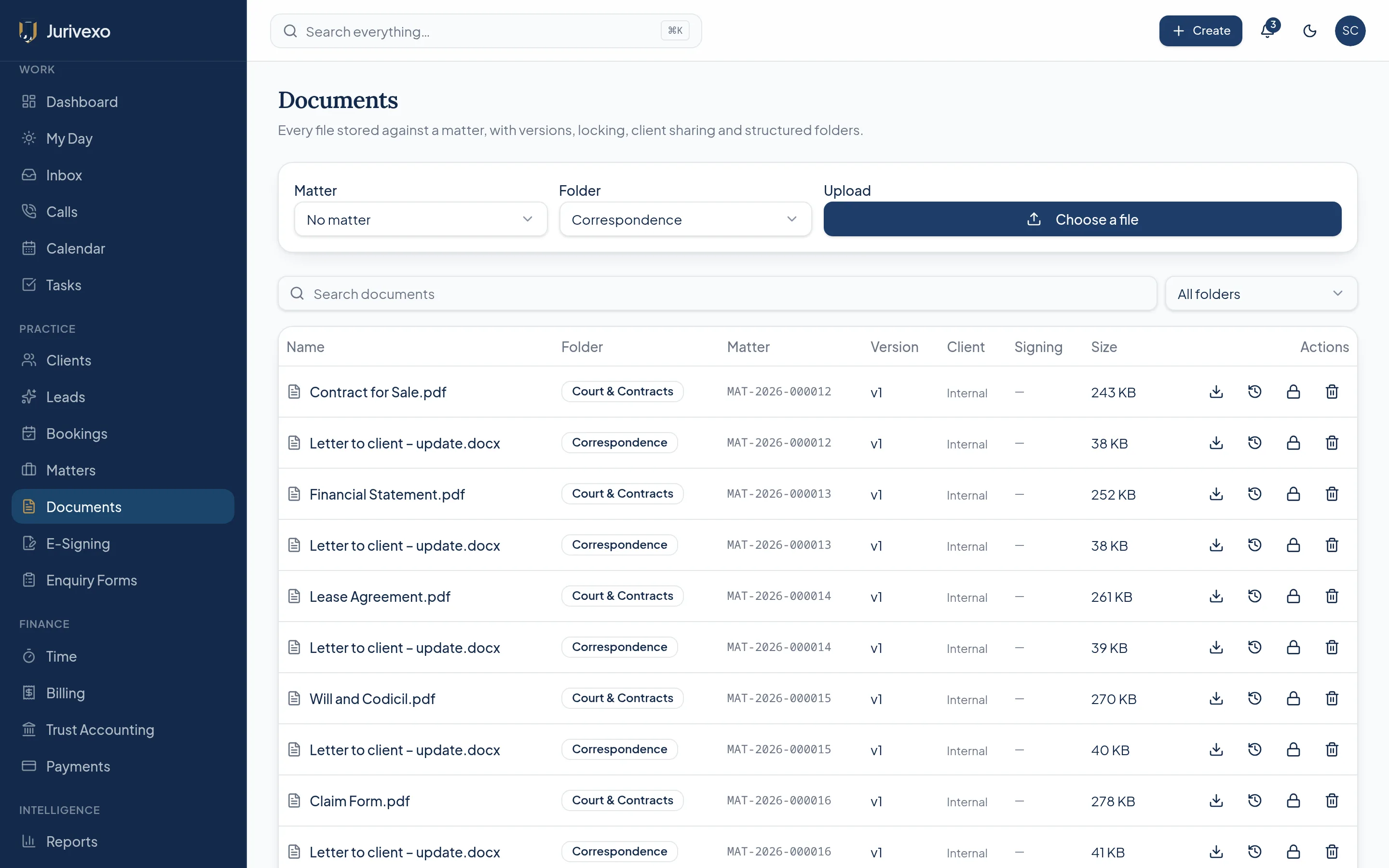
Screenshots show the Jurivexo platform with demonstration data.
Built for modern Australian legal practices.
Matter-centric
Work organised around the matter, not scattered across tools.
Connected
Email, calendar, documents, calls and finance in one workspace.
Secure
Firm-level isolation and role-based permissions in the database.
Trust-accounting capable
Built around Australian legal trust-accounting workflows.
The problem
Your practice shouldn't need ten disconnected systems.
Most firms run the matter across a document folder, a mail client, a diary, a phone system, a spreadsheet, a billing package and a separate trust ledger. The work is connected. The software usually isn't.
- Documents
- Calendar
- Calls
- Time
- Billing
- Trust
- Client management
The platform
Jurivexo brings them together.
One workspace, one permission model, one record of the matter — with every communication, document, time entry, invoice and trust transaction able to sit against the file it belongs to.
Matter first
Everything starts with the matter.
Every document, email, call, appointment, task, time entry, invoice and trust transaction can be connected to the matter — creating one complete view of the work.
Client
Matter
Everything connected
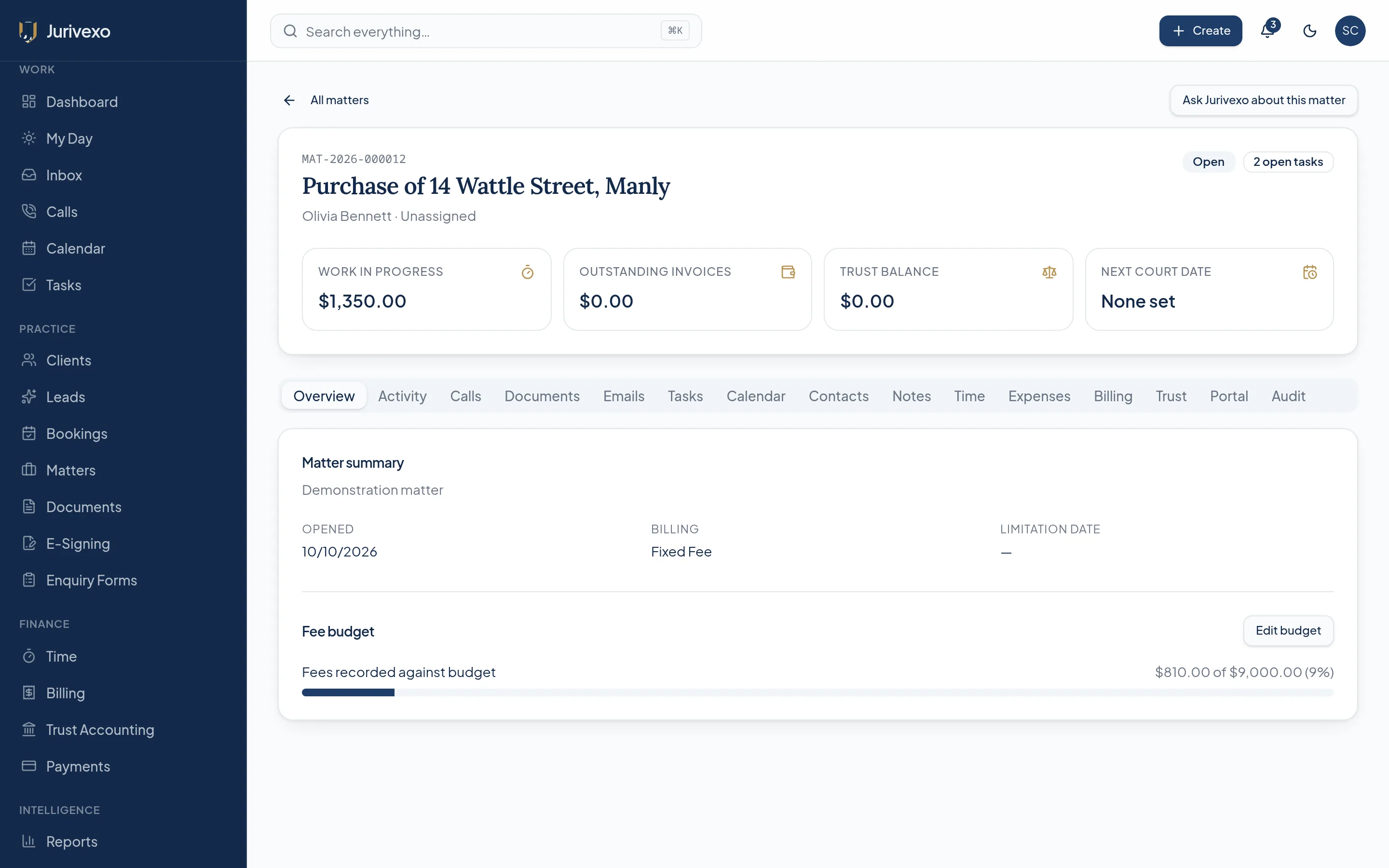
Matter management
The complete matter, in one place.
Matter overview, responsible solicitor, client details, documents, communications, tasks, calendar, financial position and a full activity timeline — on a single screen.
- Matter overview and status
- Client and responsible solicitor
- Documents and communications
- Tasks, calendar and key dates
- Work in progress and invoices
- Activity timeline and audit
Documents
Documents where they belong.
Documents live on the matter, with search, version visibility and activity history. Cloud storage providers can be connected so the firm keeps its own copy of everything.
- Matter-based organisation
- Search across the firm
- Version visibility
- Document activity history
- Cloud backup to connected storage
- OneDrive, SharePoint and Google Drive configurable
Communications
Your communications. Connected to your matters.
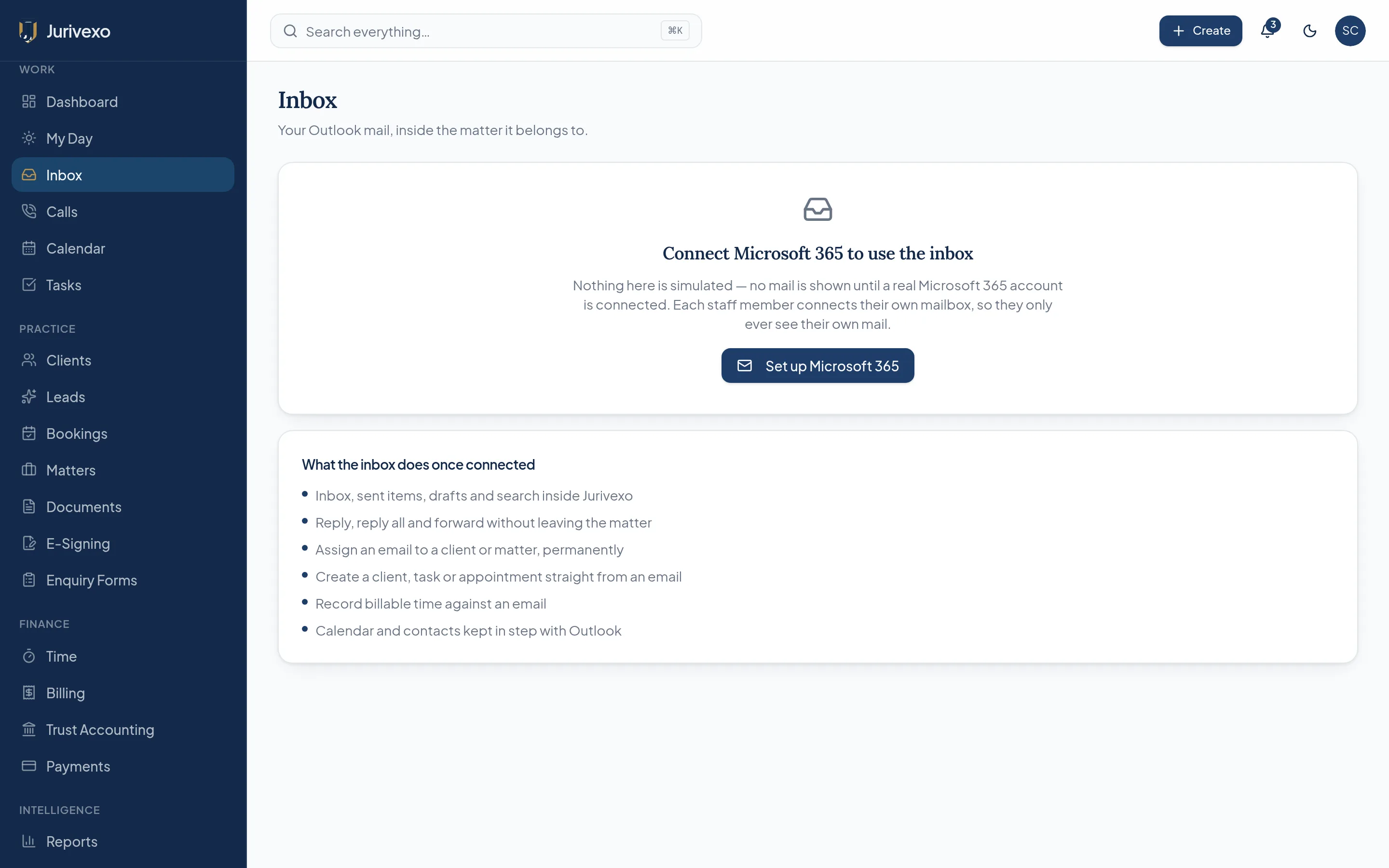
Connect Microsoft 365 or Google Workspace to bring mail and calendar into the practice, file correspondence against the matter, and keep appointments and key dates visible.
- Email synchronisation once connected
- File correspondence to the matter
- Calendar synchronisation
- Matter appointments and key dates
- Meeting and diary management
- Provider credentials stay with the firm
VoIP & automatic time capture
Turn conversations into captured time.
When a connected phone system reports a call, Jurivexo identifies the caller, suggests the matter, times only the connected conversation and prepares a draft time entry for review. Nothing is billed automatically.
Incoming call
- Caller
- John Smith
- Matter
- MAT-2026-001
- Connected
- 00:17:34
Call completed
- Duration
- 17m 34s
- Draft billing
- 0.3 hr
- Status
- Awaiting review
- 01
Call
Connected phone system reports the event.
- 02
Client recognised
Number matched to a client record.
- 03
Matter matched
A single likely matter is suggested.
- 04
Timed
Connected conversation only.
- 05
Reviewed
A fee earner confirms or discards.
- 06
Work in progress
Approved time enters WIP.
- 07
Billing
Included in the next invoice.
- 08
Audit
Every step recorded.
Call capture requires a supported telephony provider to be connected and configured.
Time & billing
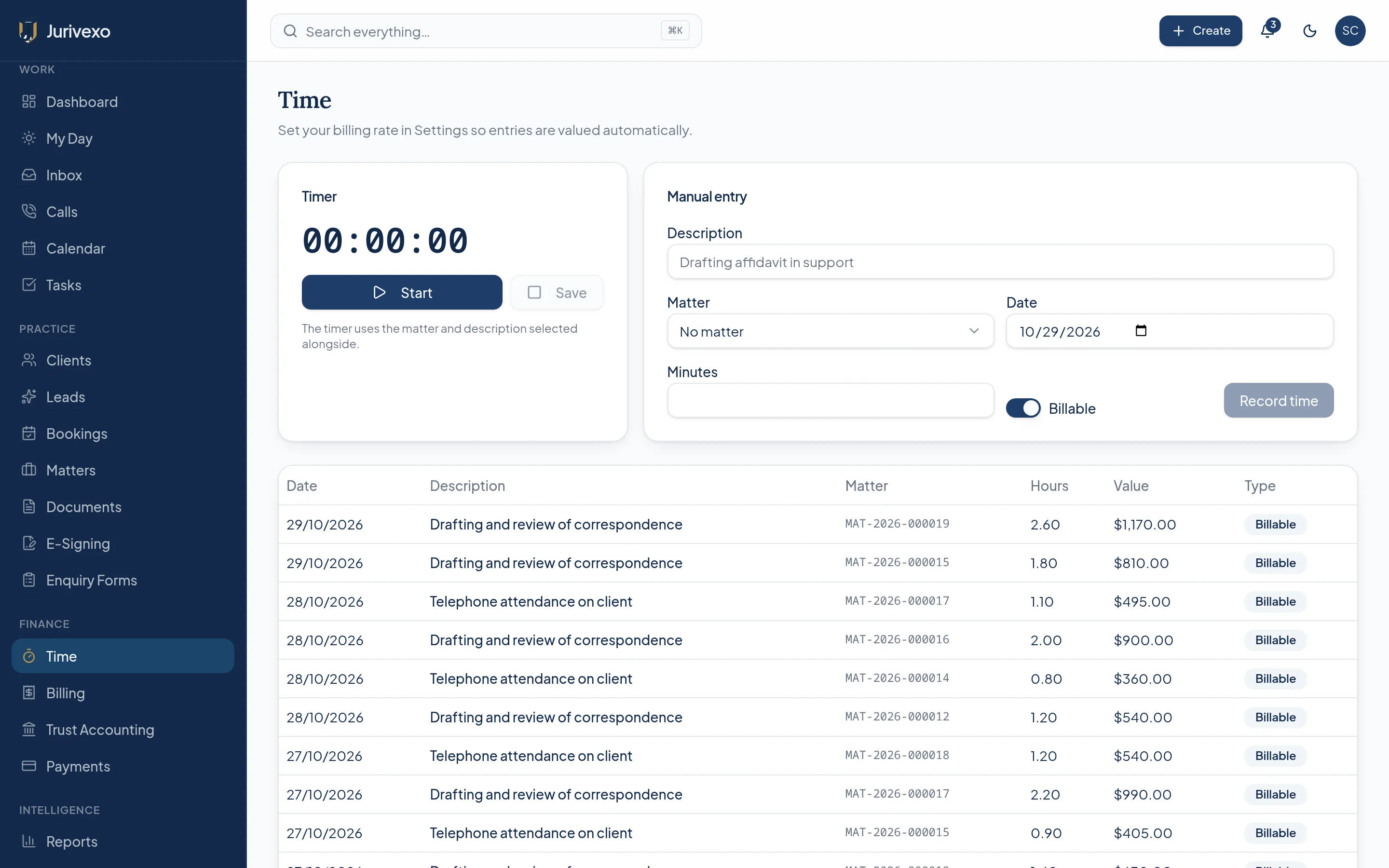
Capture more of the work you already do.
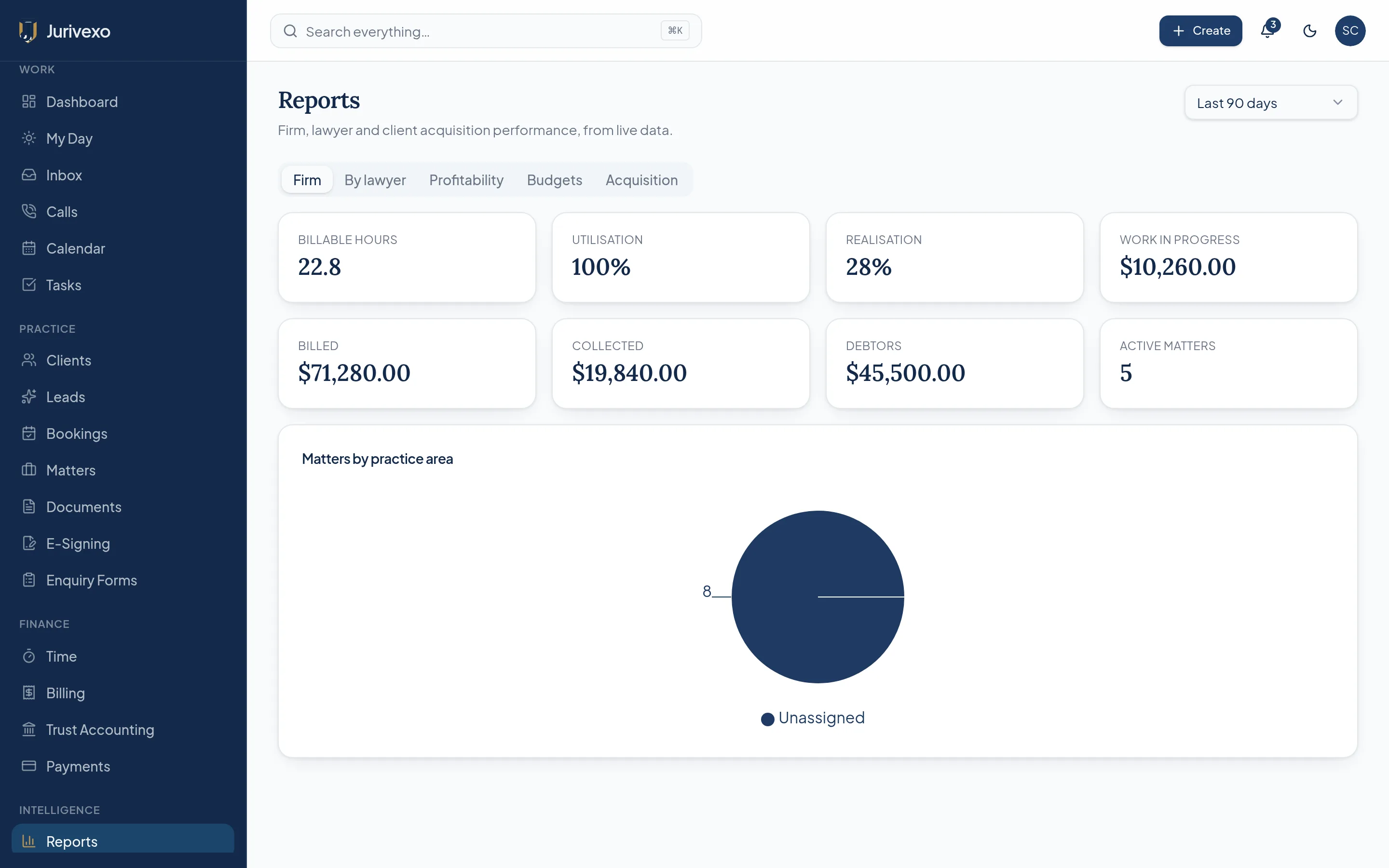
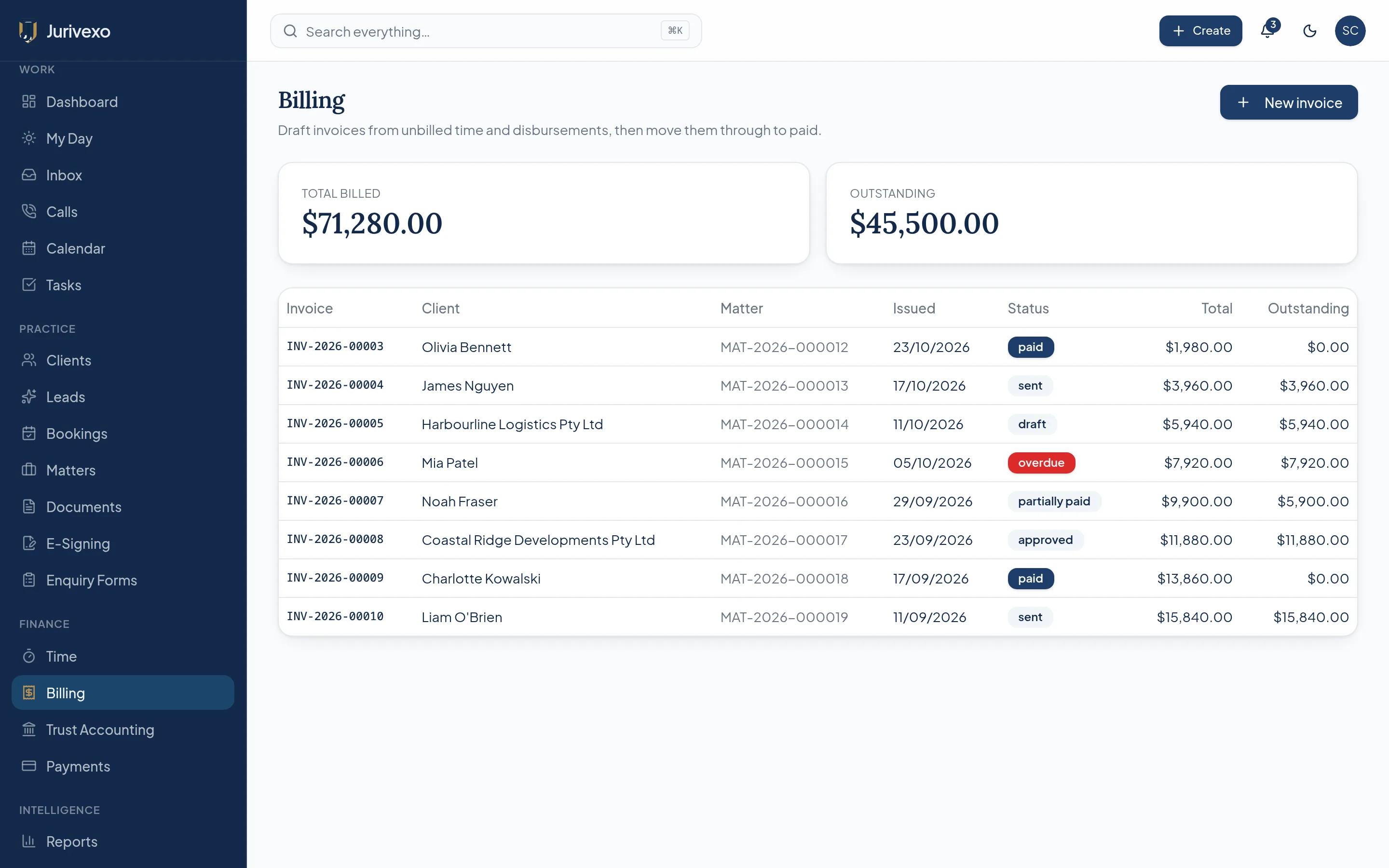
Manual timers, draft entries from activity, matter-specific rates and billing increments flow into work in progress and then into invoices, without re-keying the same information.
- Manual timers and quick entry
- Reviewable draft time entries
- Matter-specific rates
- Configurable billing increments
- Work in progress visibility
- Invoices with payment tracking
Trust accounting
Trust accounting built into the practice workflow.
Designed around Australian legal trust-accounting workflows: sequential receipts and payments, reversal-only corrections, controlled money, bank reconciliation, locked periods, reporting and a complete audit trail.
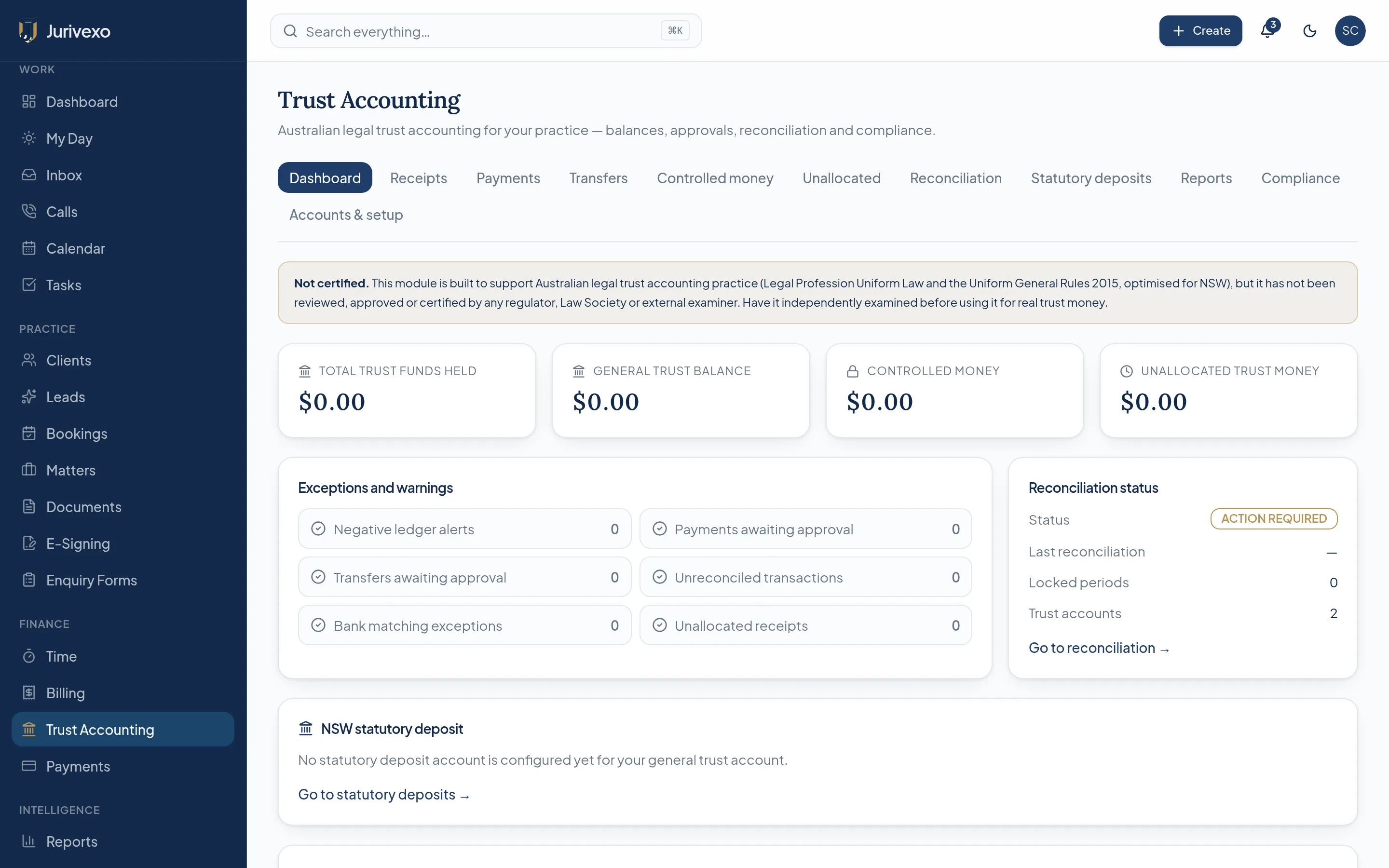
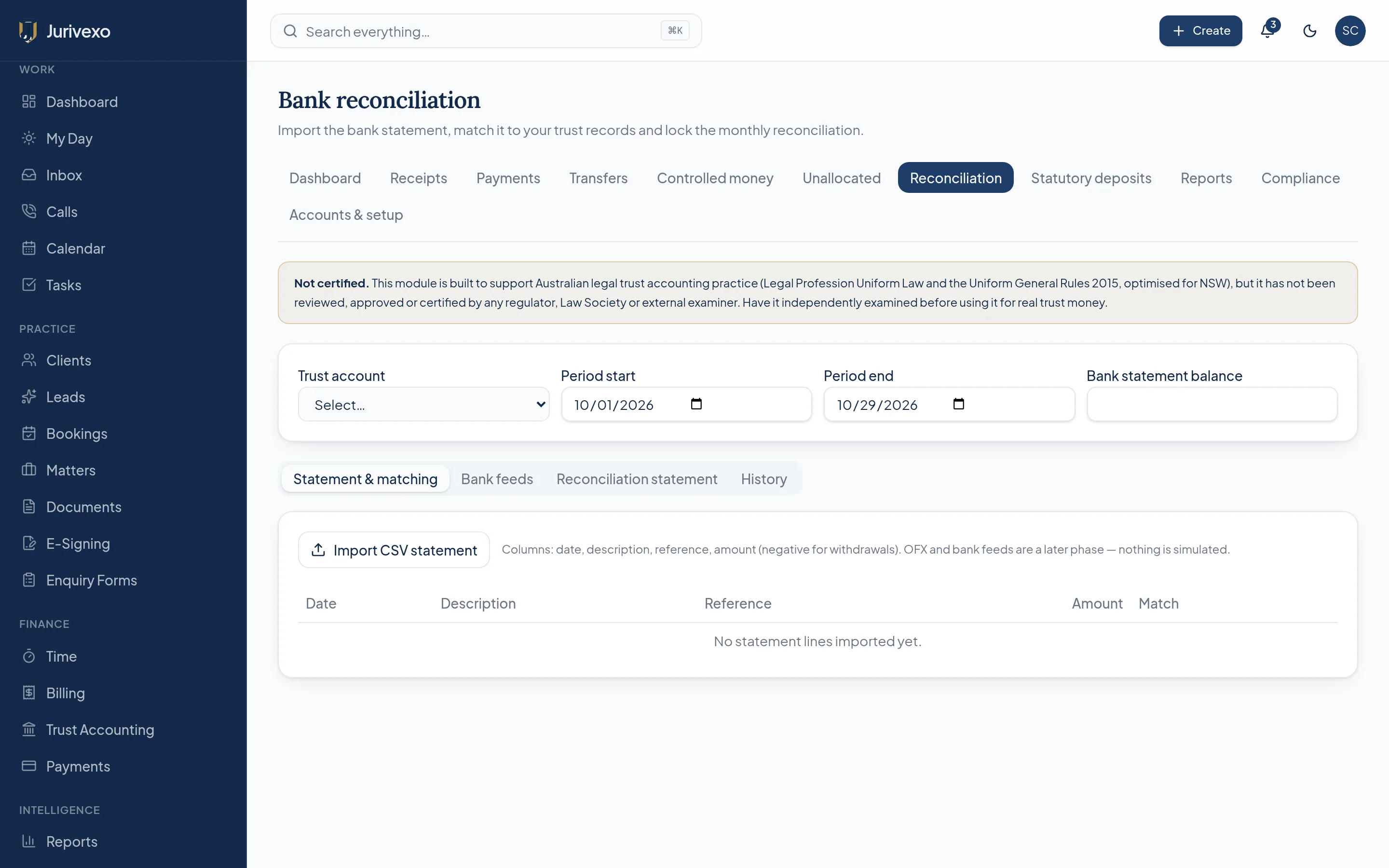
Jurivexo is not certified, approved or reviewed by any regulator, Law Society or external examiner. Trust functionality must be independently examined against your state or territory requirements before it is used for real trust money.
Integrations
Work with the technology your firm already uses.
Jurivexo sits in the centre of the tools your practice already runs. Each connection uses the provider's own secure authorisation — credentials stay with the firm.

- Microsoft 365 / OutlookConfiguration required
- OneDrive / SharePointConfiguration required
- Google Workspace / GmailConfiguration required
- Google DriveConfiguration required
- Google CalendarConfiguration required
- DropboxComing soon
- Twilio, RingCentral, Zoom PhoneConfiguration required
- Microsoft Teams Phone, Aircall, DialpadConfiguration required
- Generic PBX webhooksAvailable
- Australian bank feeds (trust)Configuration required
One connected workflow
Less administration. More legal work.
Jurivexo connects the steps a firm already takes, so information is entered once and then carried forward through the matter.
The client journey, end to end.
- 01
New enquiry
- 02
Conflict check
- 03
Client created
- 04
Matter opened
- 05
Cloud folder created
- 06
Email & calendar connected
- 07
Work commences
- 08
Time captured
- 09
Billed
- 10
Trust reconciled
- 11
Reported
- 12
Matter closed
Security
Built with serious practices in mind.
Firm data is isolated at the database level, financial actions are permission-gated, and sensitive workflows are recorded in an insert-only audit log.
- Firm-level tenant isolation
- Role-based permissions
- Multi-factor authentication support
- Audit trails on sensitive actions
- Encrypted connections
- Secure OAuth provider connections
- Controlled financial permissions
- Document backup architecture
Jurivexo does not hold ISO 27001, SOC 2 or government security accreditation. Security controls should be reviewed against your firm's obligations.
Your day
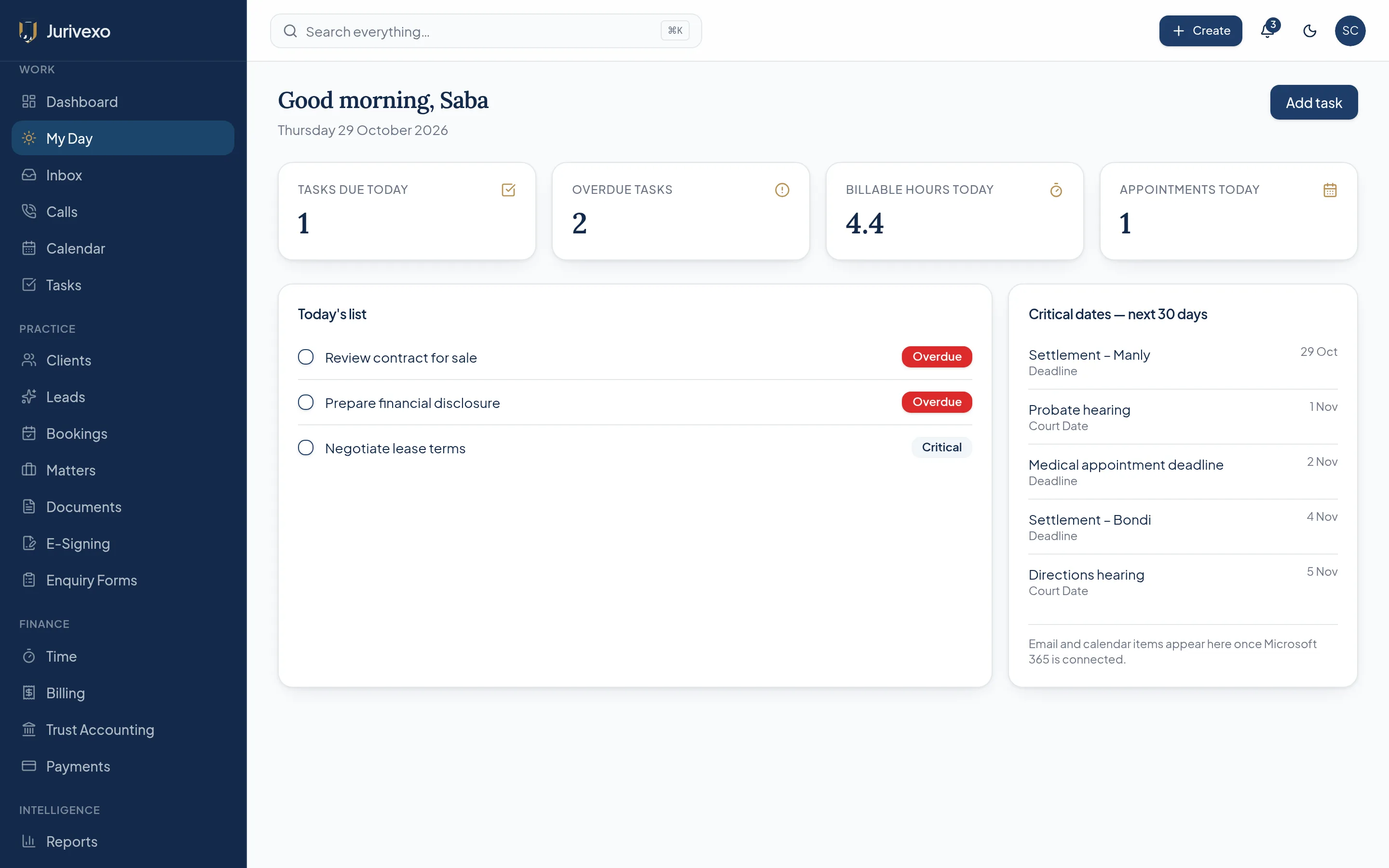
Start every day knowing what matters.
Tasks, appointments, billable hours, critical court and limitation dates, outstanding invoices, trust alerts and calls requiring review — in one operational view.
Built for Australian legal practices.
Australian legal workflows, matter numbering, billing expectations and a trust architecture designed around the Legal Profession Uniform Law and the Uniform General Rules — configurable by state, starting with New South Wales.

A brighter practice ahead.
Bring your matters, communications, time, billing and trust together with Jurivexo.